Improve Your Speed and Accuracy
Still typing while looking at the keyboard? Take our Typing Speed Test Online to boost your accuracy, improve speed, and master touch typing effortlessly.

Still typing while looking at the keyboard? Take our Typing Speed Test Online to boost your accuracy, improve speed, and master touch typing effortlessly.
Typing Skill
Are you a computer user, but still can't type without looking at the keyboard? Overcome such inefficiency and master the technique of fast typing. Today, I will give you some tips for the reader, through which you can type quickly. Here are the details...
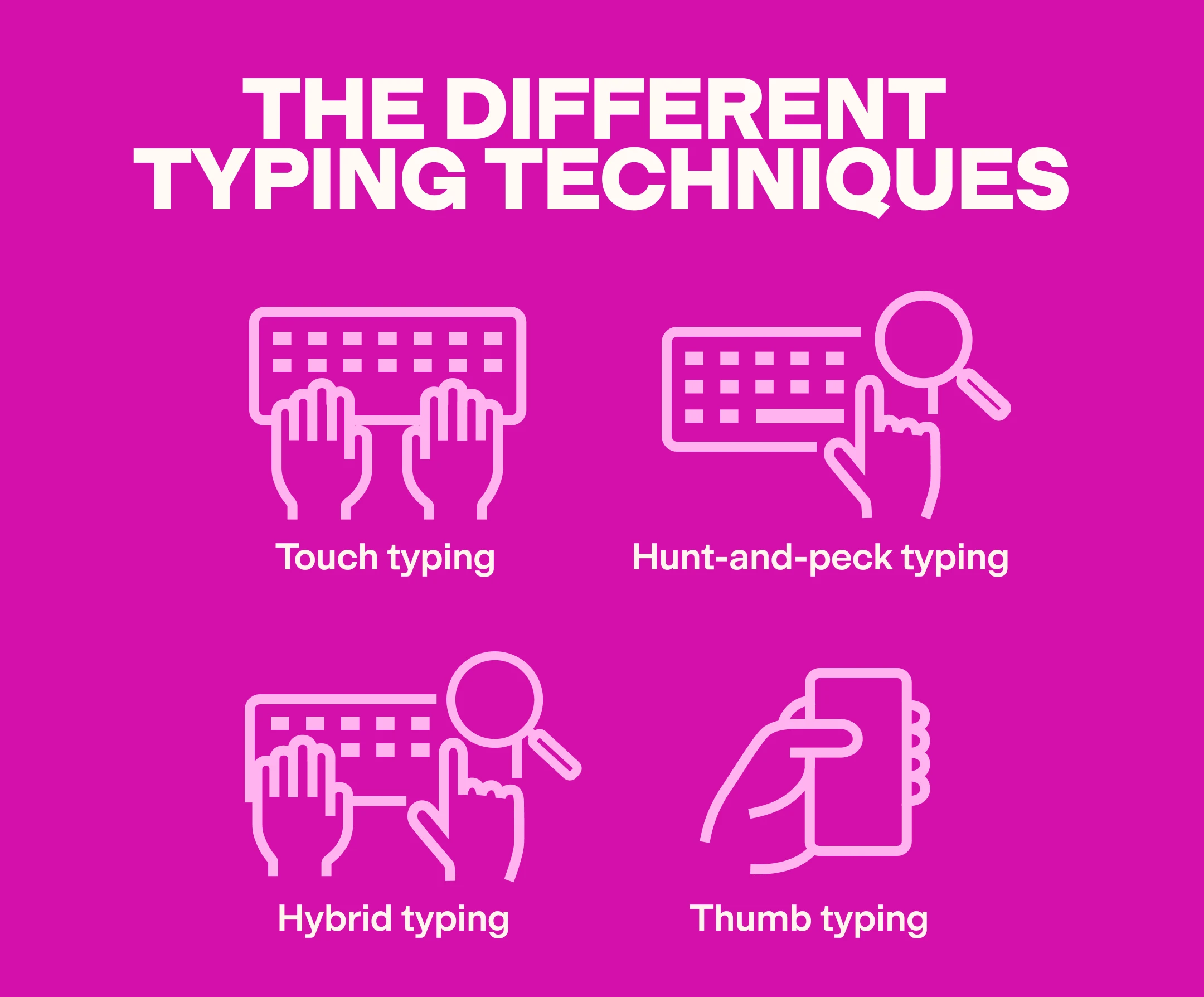
There are some rules for typing on a computer. Typing according to those rules is possible, typing quickly. In short, if we are asked to reveal the 'secret secret' of typing quickly, we must remember that there is no shortcut for this. However, there are some ways through which typing skills can be increased through regular practice. The technique of typing without looking at the keyboard using 10 fingers of the hand and looking at the monitor is called touch typing. If you can master it, you will also become a skilled typist.
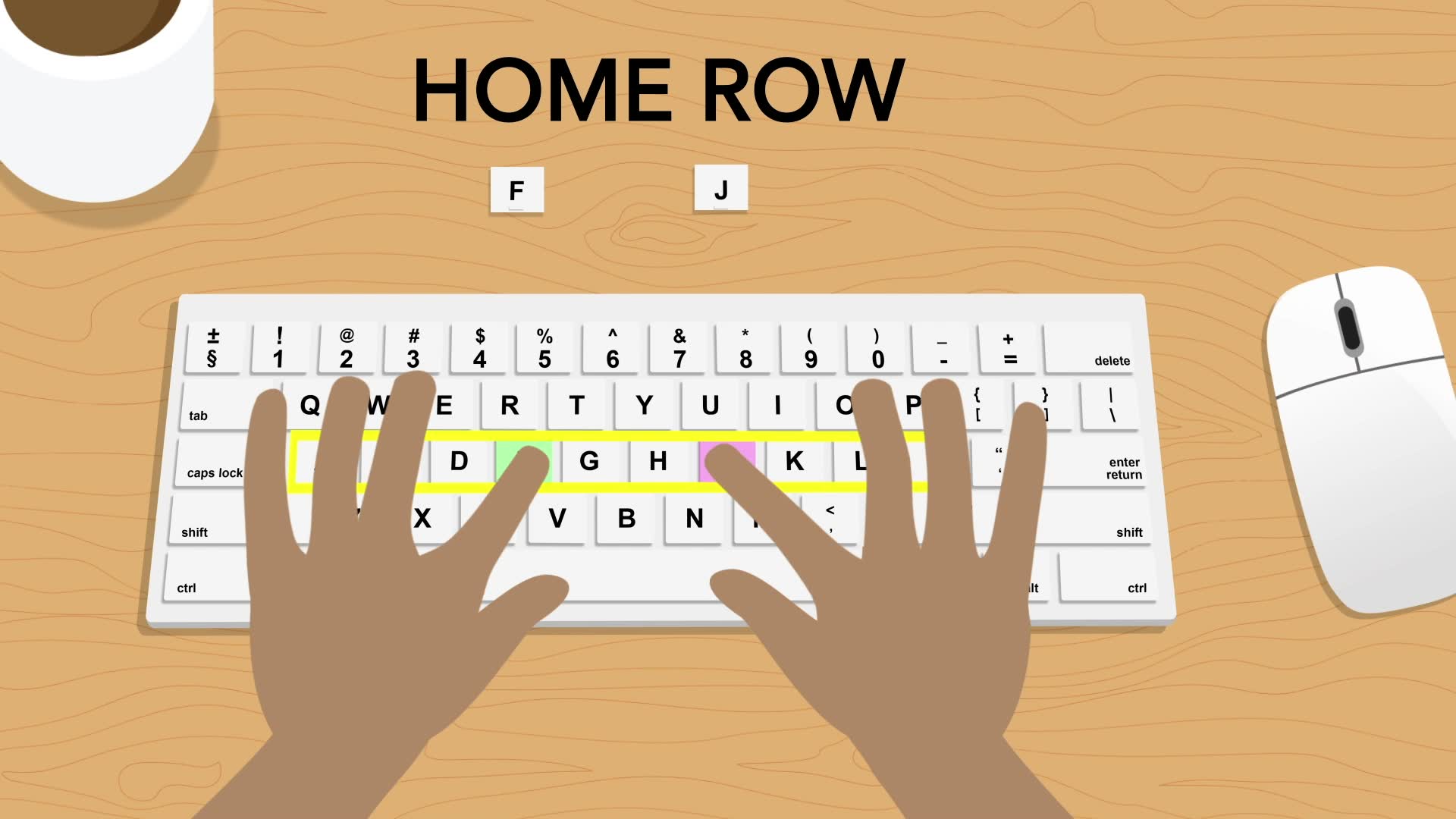
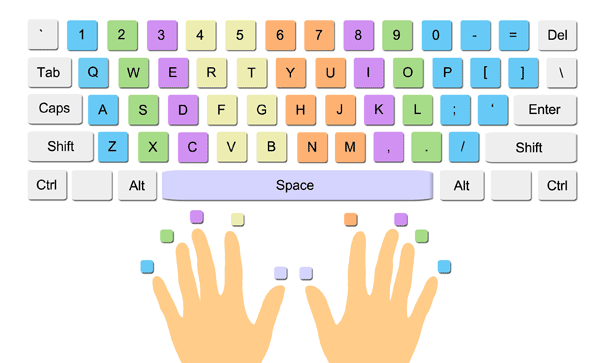
The main condition for increasing typing speed is knowing which finger to write a letter with. Typing quickly cannot be done due to not placing your hands on the keyboard properly. The mistake of placing your hands on the keyboard incorrectly is more common. So you can remember the rule of placing your fingers on the keyboard. If you use one or more fingers for each letter, it will be slow to type. So, you should place your hands on the keyboard in such a way that your two thumbs are right in the middle of the space bar. Then, divide the keyboard letters from where they start into three parts. First, the row from Q, the second row from A, and the third row from Z.
You should start the exercise from the second row. For this, you should place the little finger of your left hand on the second row of A, the ring finger on S, the middle finger on D, and the index finger on F. Remember, you should also type the letter G with your index finger. Then, the little finger of your right hand on the semicolon, the ring finger on L, the middle finger on K, and the index finger on J. Here too, you should type the letter H with your index finger. You should type by placing your fingers on the letters on the keyboard.
While practicing, remember that after typing a letter on the left, you should use your right thumb to press space. Similarly, after typing a letter on the right, you should press space with your left thumb. If you can type the upper letters quickly, you should type (a s d f g; l k j h) repeatedly using space. At the same time, you should practice using the shift letters (A S D F G: L K J H). When typing small and large letters, if you want to write a word on the left in capital letters (capital word), then you should press the right shift. Similarly, to write a capital letter on the right, you should select the left shift. Now you should write from the letter Q (qwertpoiuy), from A (asdfghjkl), and Z (zxcvmnb). Then you should rewrite the letters from the bottom. If you practice this way repeatedly, your finger will work equally on all the letters on the keyboard. After writing the letters in this way, you should continue practicing typing using the space or shift button.
Even if you write while looking at the keyboard, you should gradually stop looking at it. After gaining proficiency in writing in this way, you should type quickly by looking at the text in any book. Then gradually try to type without looking at the monitor. Only then will your typing speed increase.
Apart from these, there are a few things that should be kept in mind. Among them, the environmental aspect is a consideration. For example-
* You need a suitable and comfortable place to type quickly. An open and comfortable place is conducive to typing quickly.
* It is important to sit properly to type quickly. You should sit straight and make sure that your wrists are along the keyboard. This will allow your fingers to operate the keys properly. It is better not to type while leaning too much.
* There is no alternative to practicing to learn to type quickly. The more you type, the faster and more accurately you will learn to type. However, you need to be patient with this.